Simplifying content creation, publishing and sharing for Prezly trials
Helping trial users reach the "aha moment" faster by making it easier to add, publish and share their first story, leading to a triple-digit increase in story publishing.
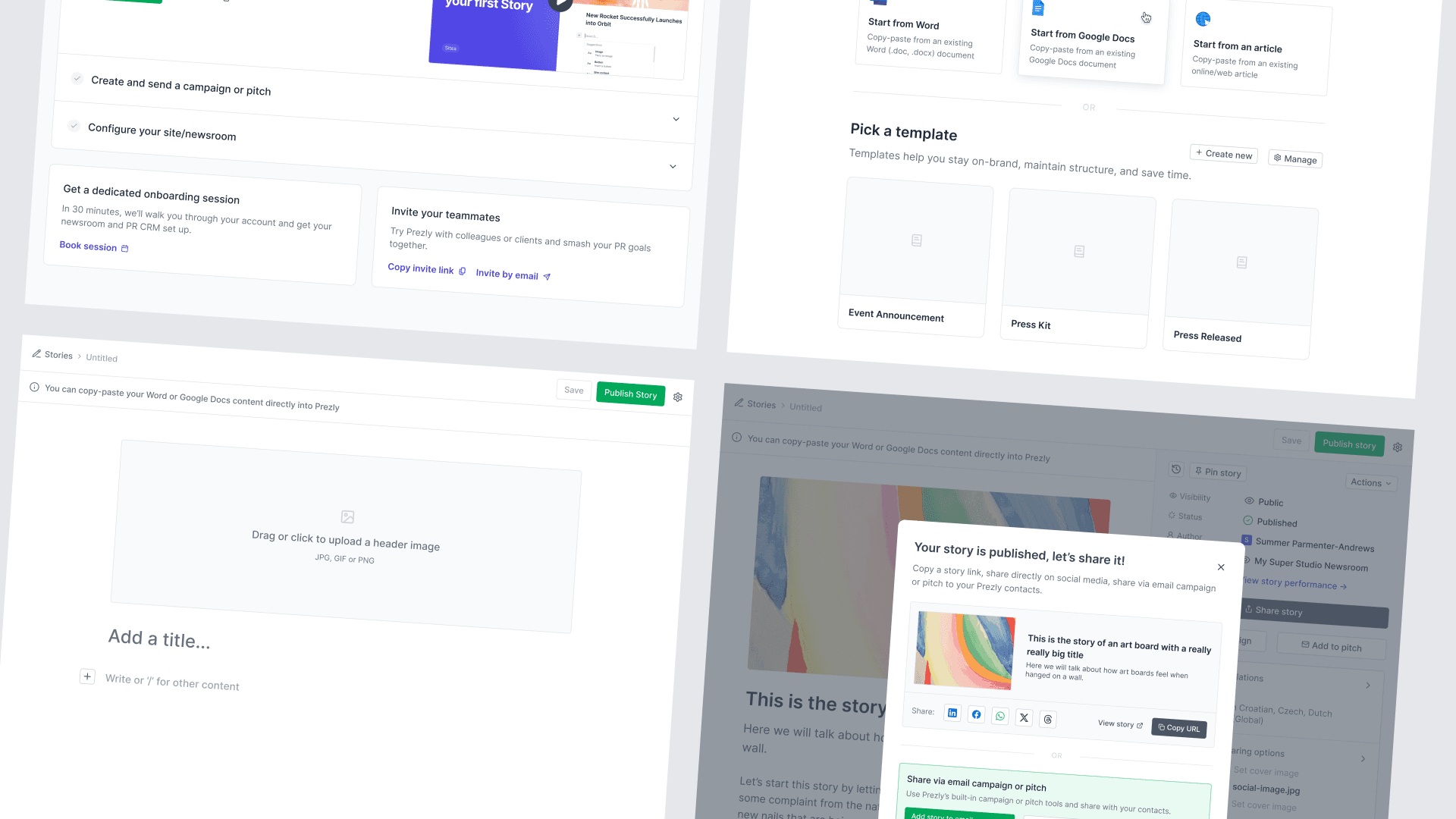
At Prezly, we’ve always struggled to get people to fully understand the app. Recently, we noticed that adding a story (press release/post) and sharing it was the biggest factor in users experiencing the “aha moment.”
People are lazy and time is money
If you watched dozens of screen recordings of trial users every month like I do, you’d know that one of the biggest struggles is adding content to their accounts — especially stories.
To be fair, this isn’t a Prezly-specific problem. It’s simply how people behave when trying new products. We need to assume people are often lazy or short on time. That means we (designers) need to do everything we can to make testing the product feel effortless.

Quicker publishing, quicker sharing, faster conversion
Our hypothesis was simple: if trials can create and publish their first story quickly and with minimal effort, they’ll hit the “aha moment” sooner and convert faster.
We framed the project in two phases:
- Before publishing: App homepage, story editor layout, and empty states.
- After publishing: Publish-success modal and the post-publish experience.

Trial journey map from sign up to trial activation (purchase plan)
Cleaning the path
We started by removing friction through small changes we believed would have a big impact.
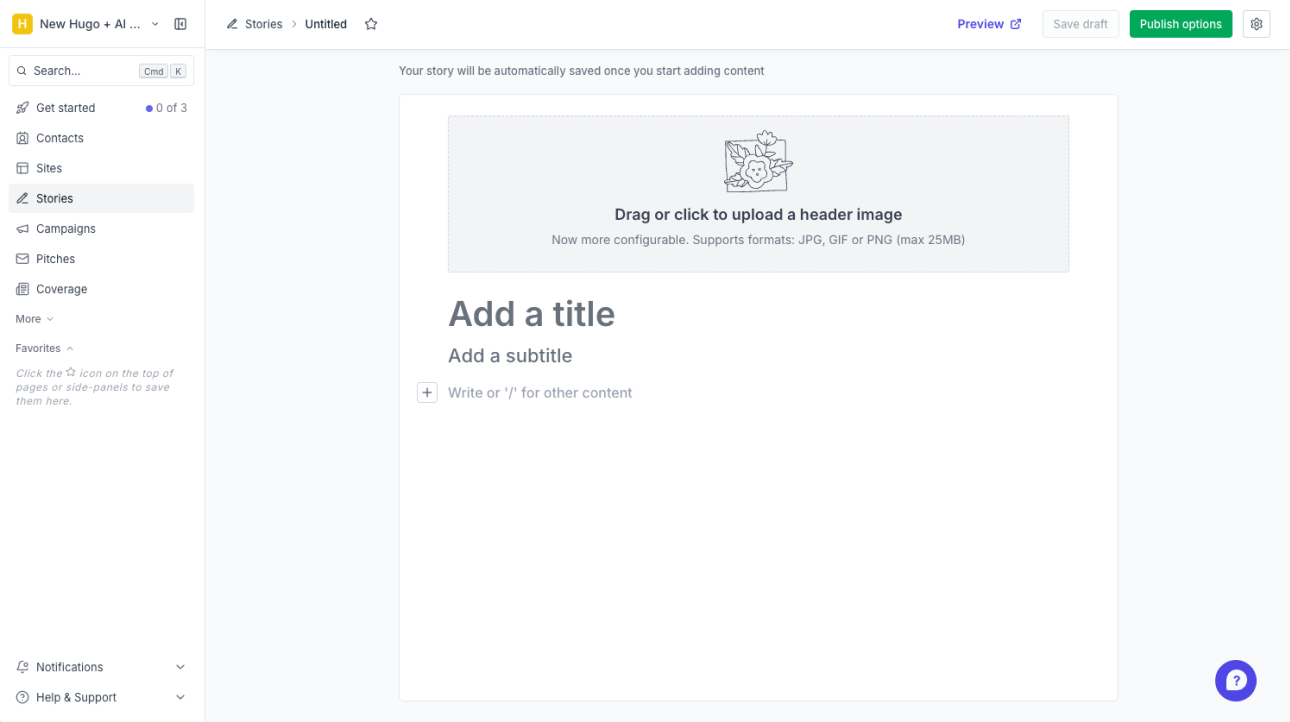
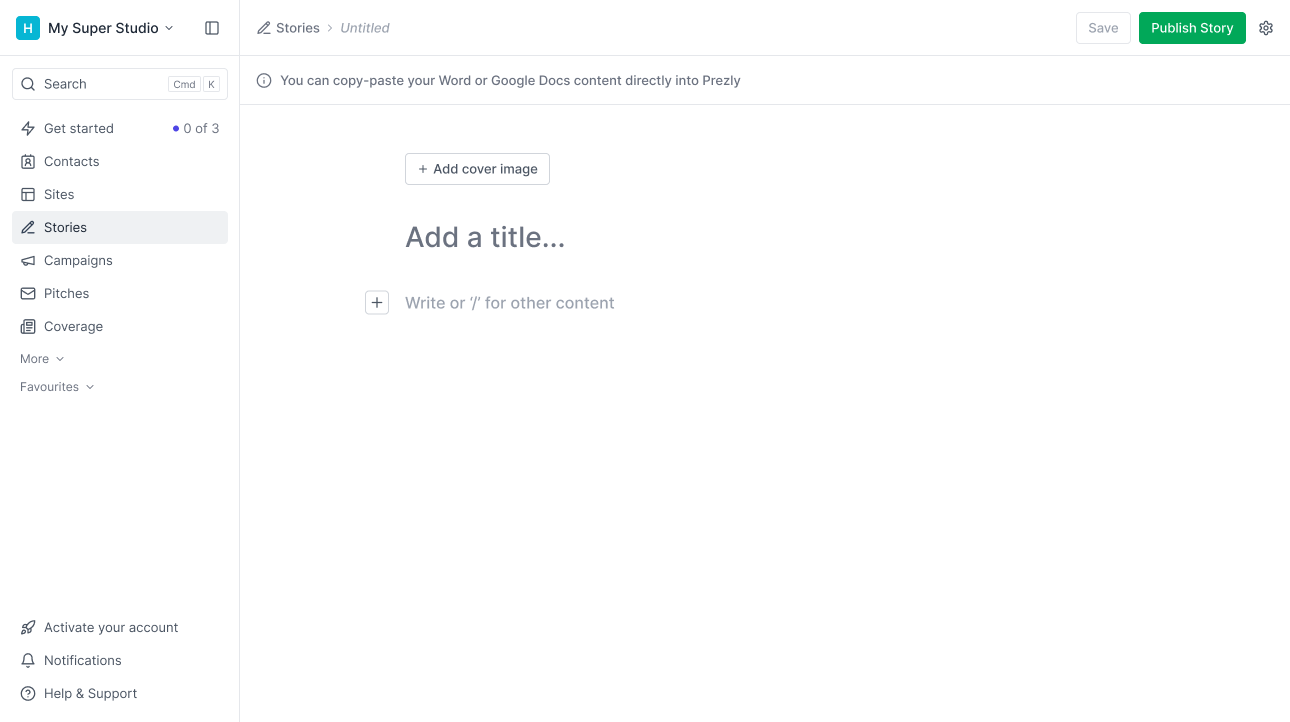
- The editor’s main action became “Publish story” instead of “Publish options.”
- We tidied the layout, lightened placeholders, and hid noisy elements (like the header image) until needed.
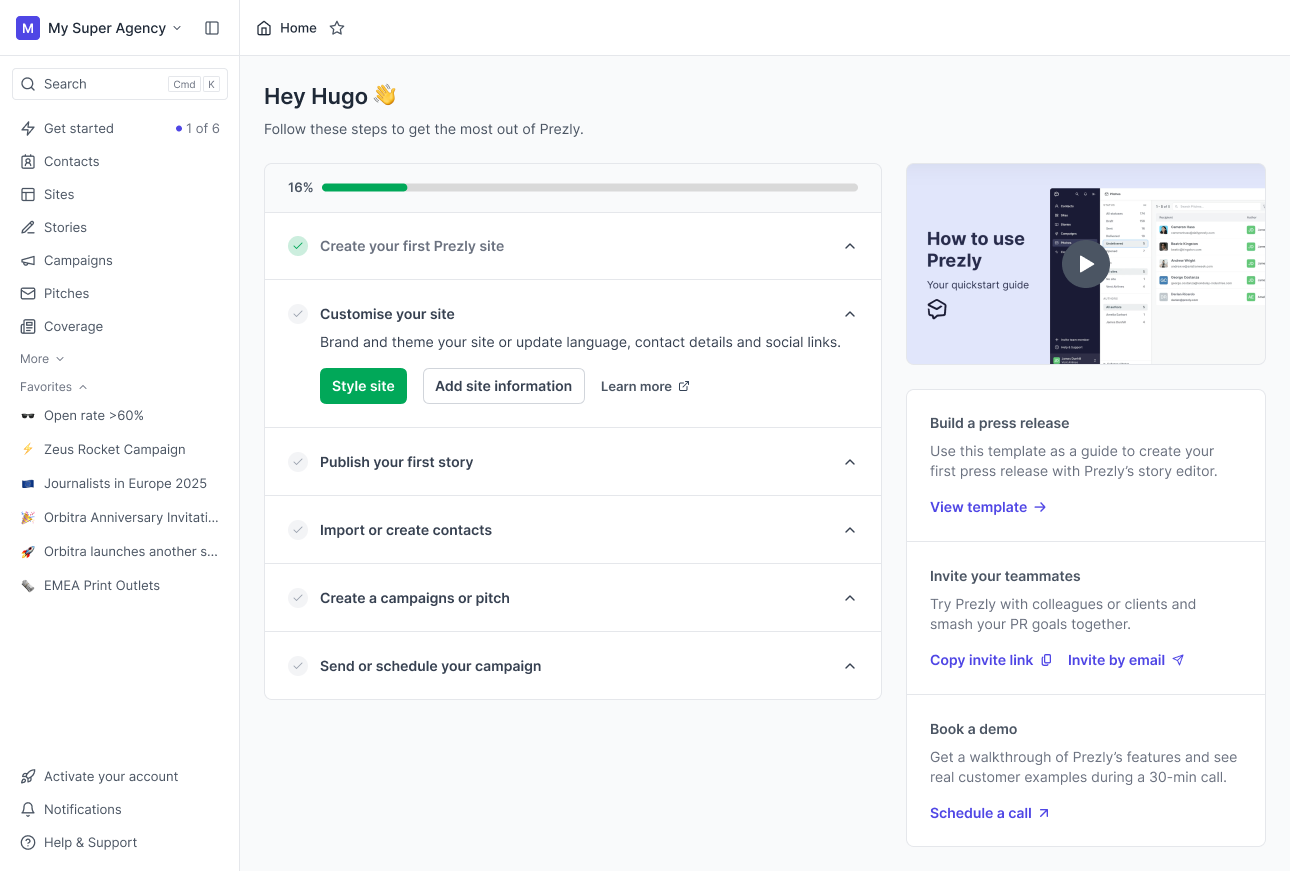
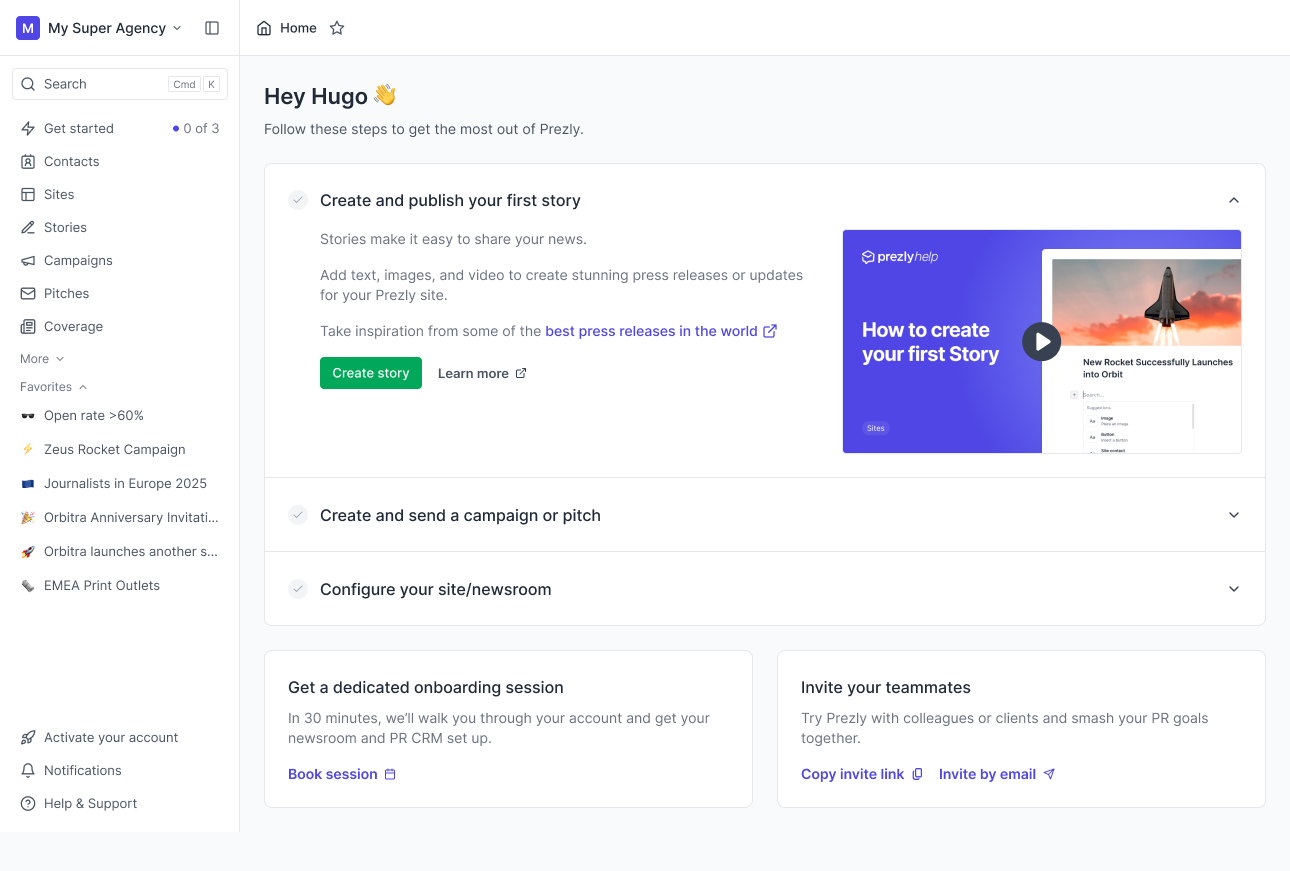
In addition to the story editor work, we also simplified the trial dashboard to a single column with clearer steps and video guidance.
Making it easy to add content
A bigger challenge was getting people to actually add content. We approached this in two ways:
Story templates
This was almost a project on its own. We took an existing feature — content snippets — and adapted it into story templates.
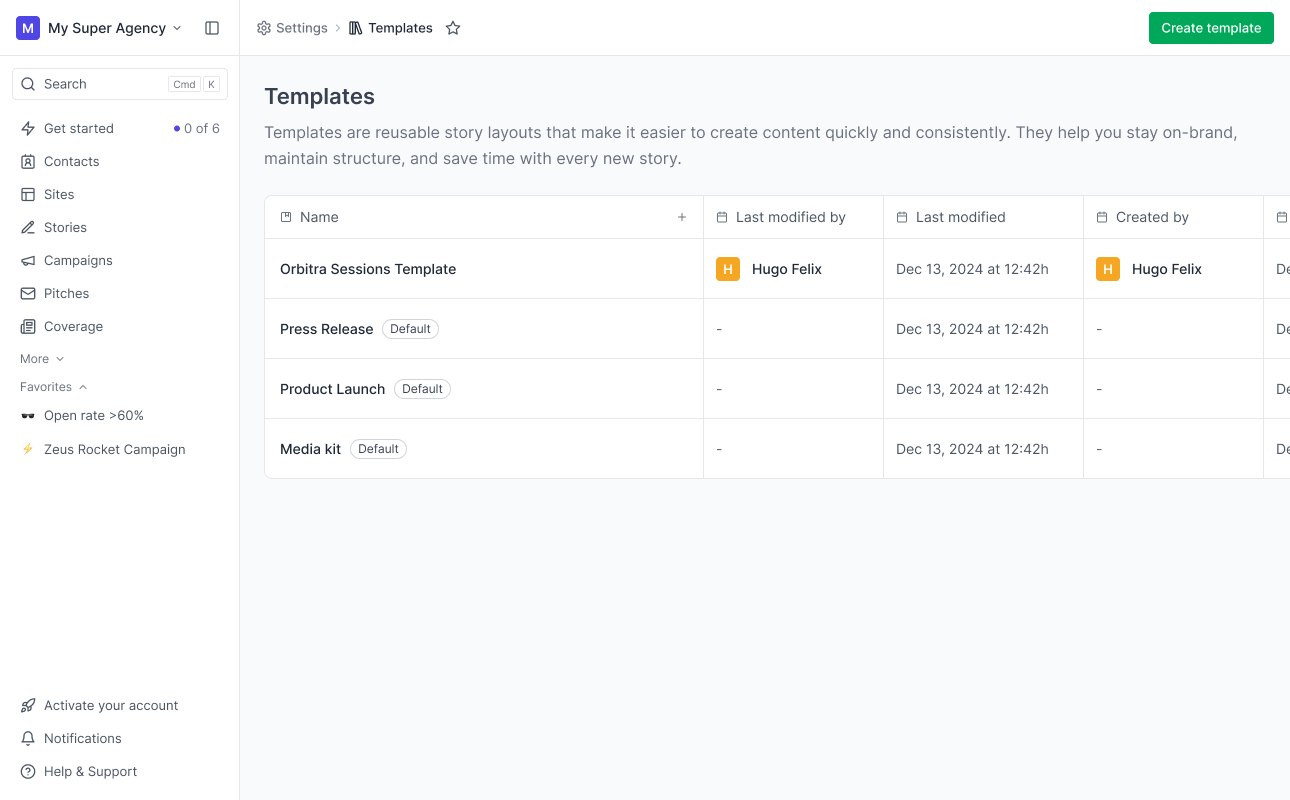
Story templates grid/page
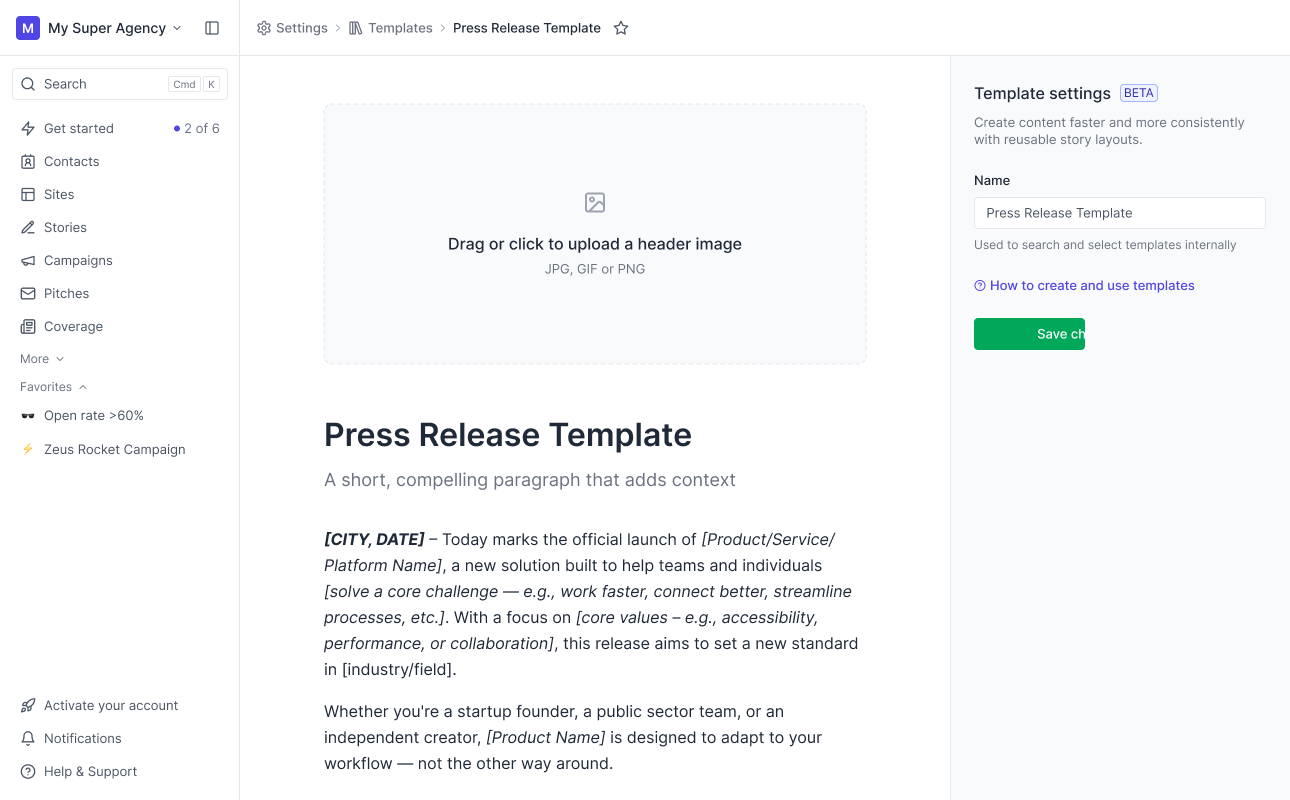
Story templates creation
We created three default templates users could start from: Press Release, Press Kit, and Event Announcement. Each included text and media blocks like images, videos, or social embeds.
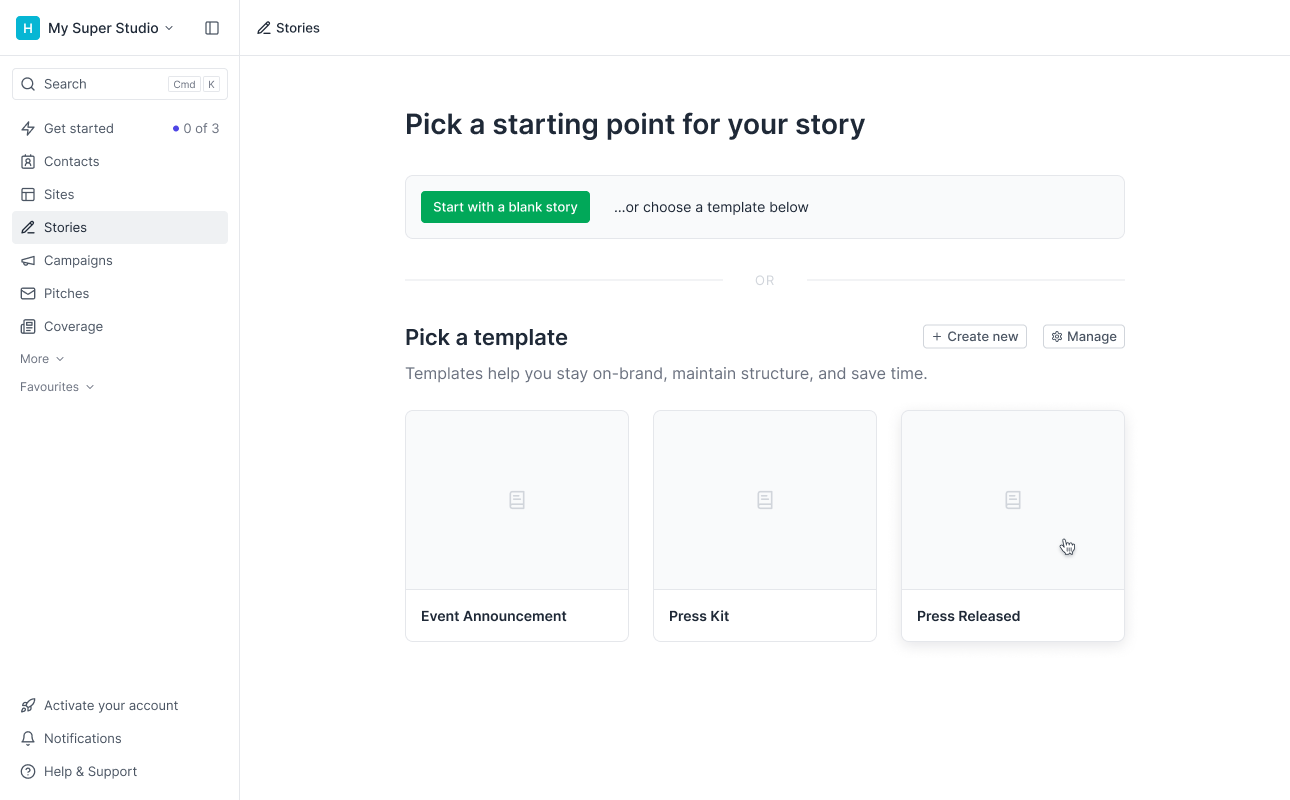
Story templates in story editor
Story import
Our editor handles pasted content really well. That’s great for users who already have their story elsewhere and want to bring it into Prezly instead of writing from scratch.
So instead of building a full importer, we made a “fake” one: three cards on the story creation page — MS Word, Google Docs, or Website.
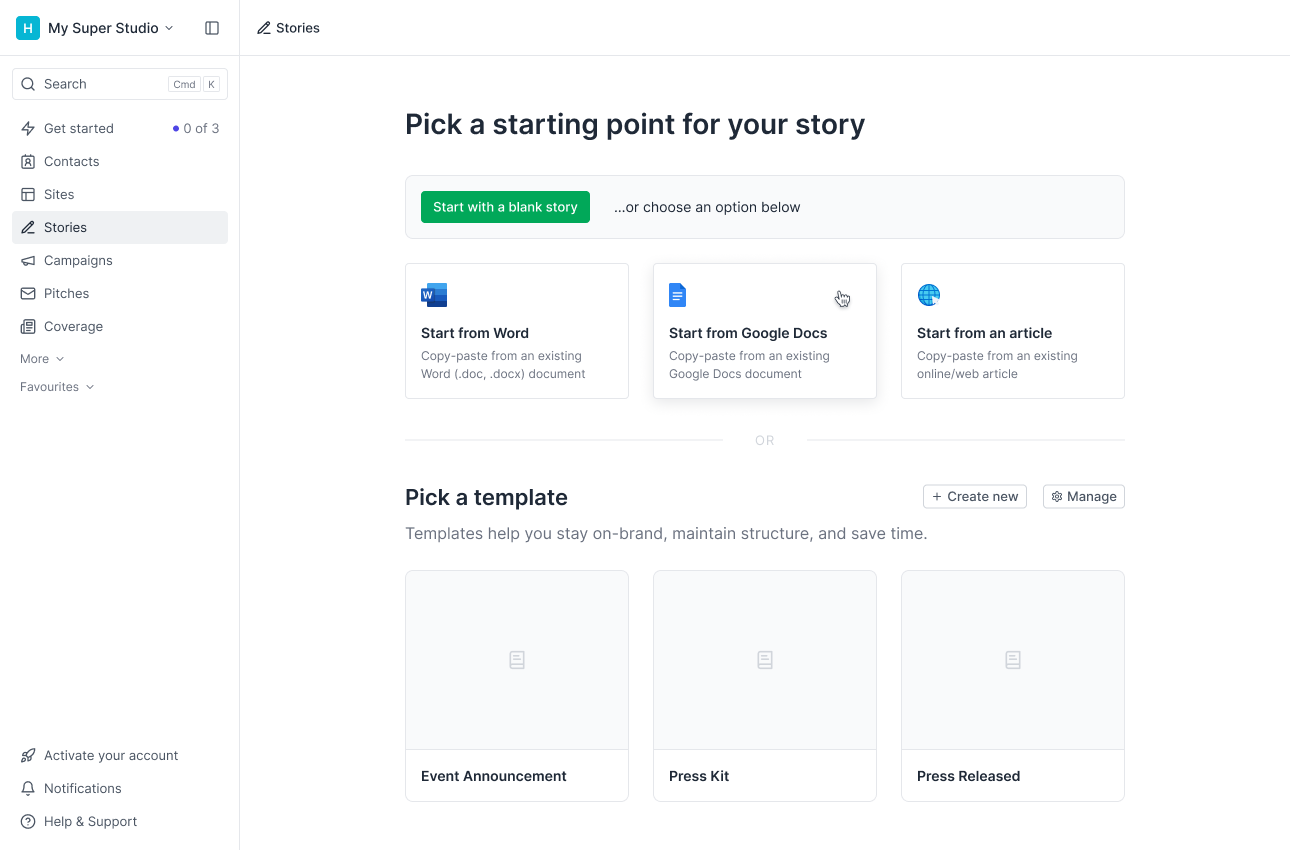
Story import in story editor
Clicking any of them opened the editor with an overlay explaining how to copy-paste content.
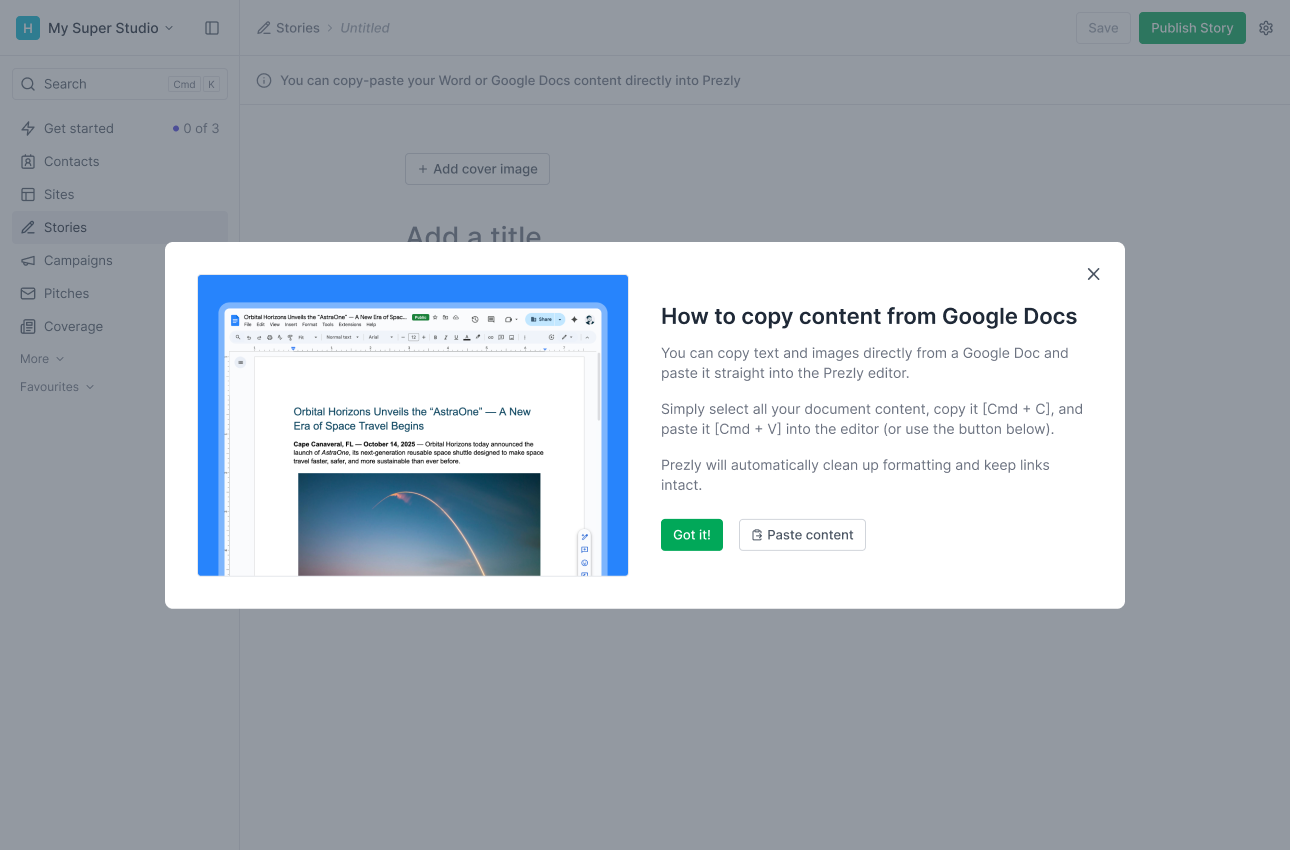
Story import overlay
This surfaced the editor’s pasting capabilities and let us measure interest in a real importer before investing in one.
The sharing nightmare
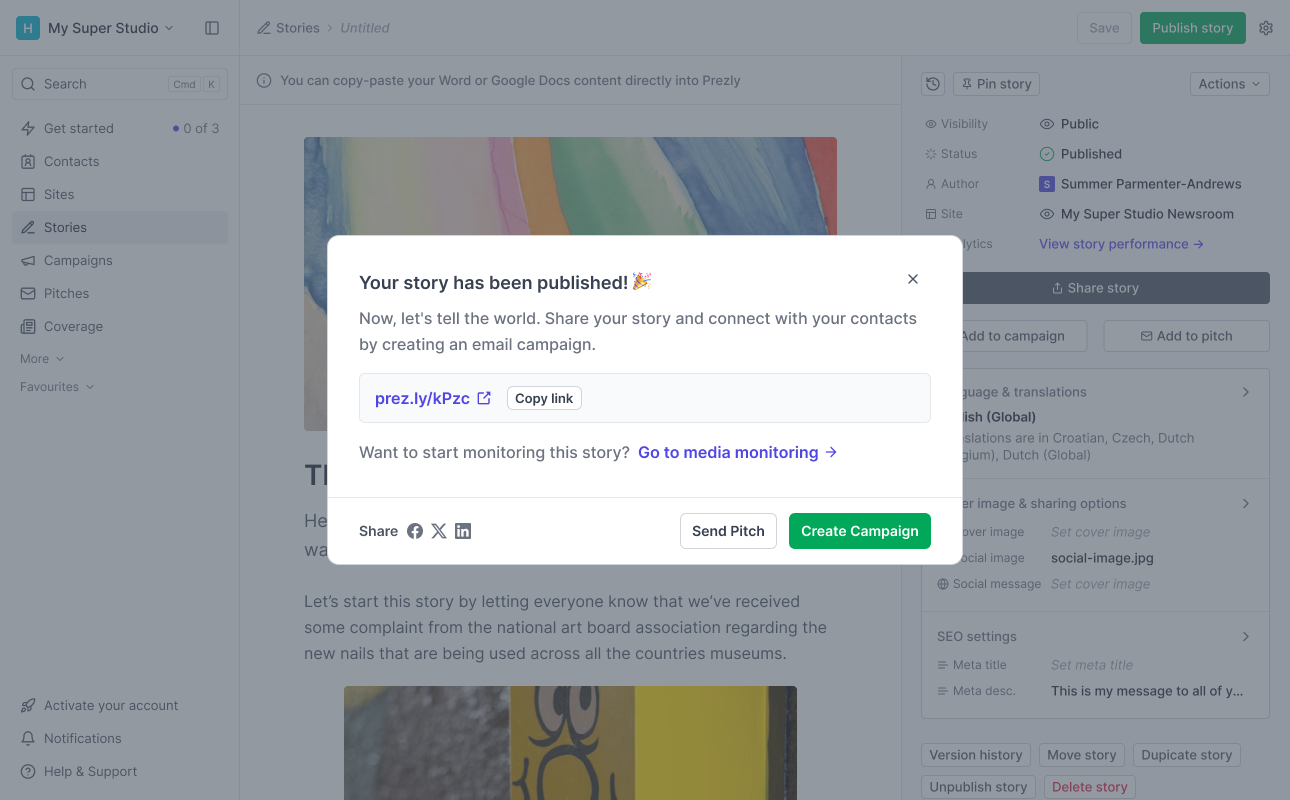
Next, we tackled the real bottleneck: story sharing. For trial users, the main entry point is the publish-success modal.
The previous modal scattered actions and hid social sharing. Despite strong intent, 34% of users closed it without doing anything.
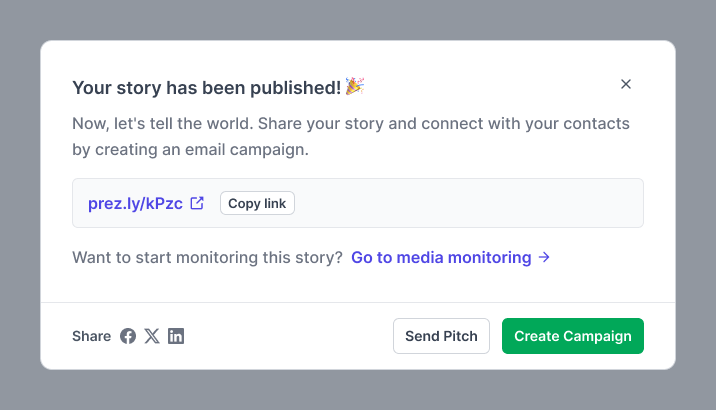
Old share modal component
Other issues included:
- The main button didn’t clearly show it would start an email campaign
- Social icons looked non-interactive
- The preview card had layout issues
- And worst of all, the modal only appeared once and couldn’t be reopened
Making sharing great again (for the first time)
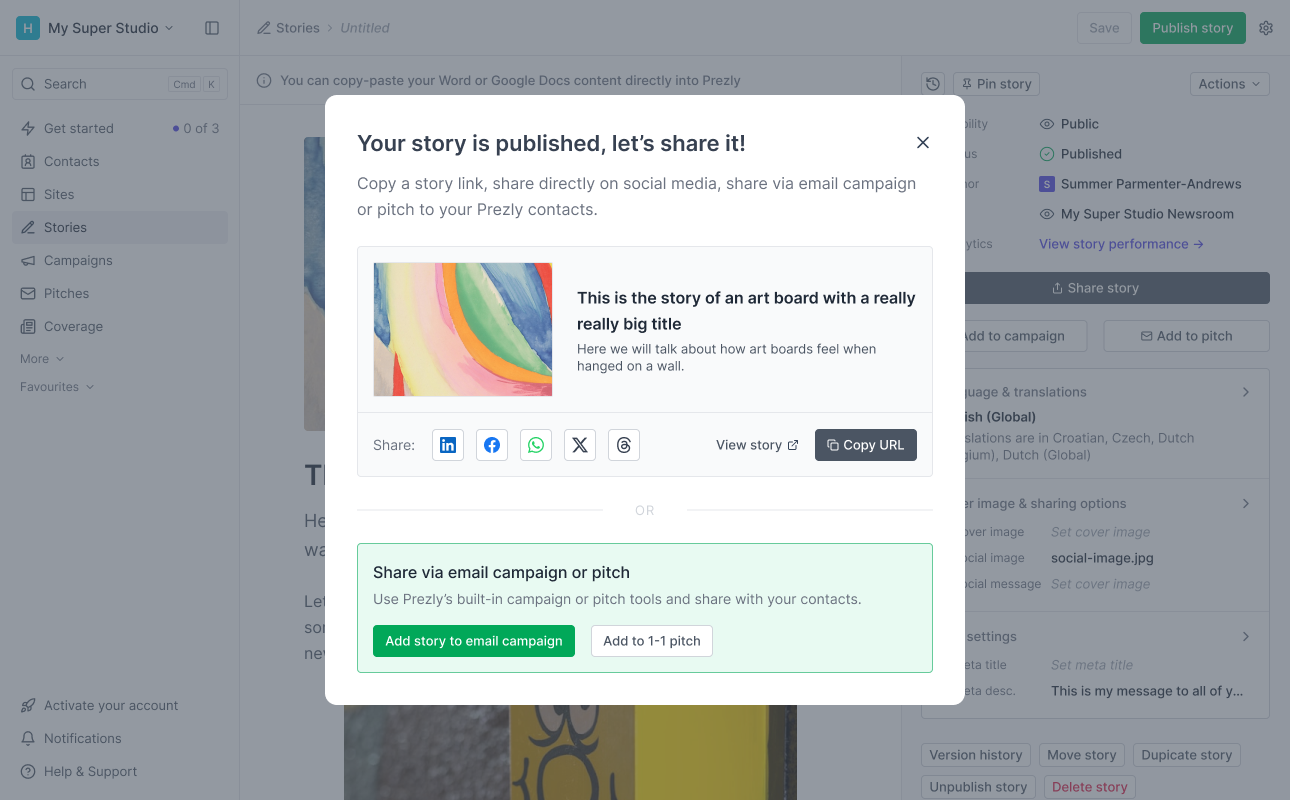
We fully redesigned the sharing modal, cleaned up the layout, and rethought the actions.
We split it into two sections: Preview & Share and Share with Prezly.
Preview & Share
We added a story card preview showing the sharing image, title and description. This helped users understand how the story would appear on their newsroom and on social media.
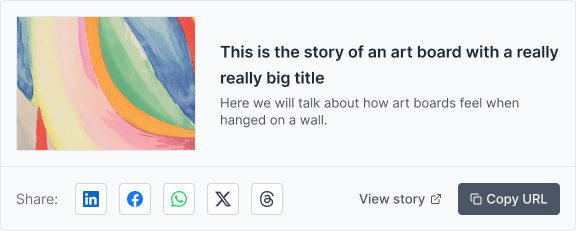
Share modal preview
We also added all the “outside Prezly” options:
- Social sharing buttons (with two new ones: Threads and WhatsApp)
- A Go to story link
- A Copy URL button
Share with Prezly
This section got a green background (our primary color) to make it stand out.
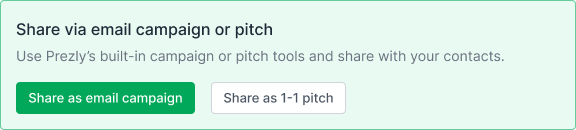
Share modal share from Prezly section
We added a short explanation of what’s possible with Prezly, plus:
- Send story to myself (first published story only)
- Add story to email campaign
- Add to 1-1 pitch
Sharing (from) everywhere
We renamed it from “publish success modal” to “sharing modal” because it no longer triggers only after publishing. We added new entry points across the app:
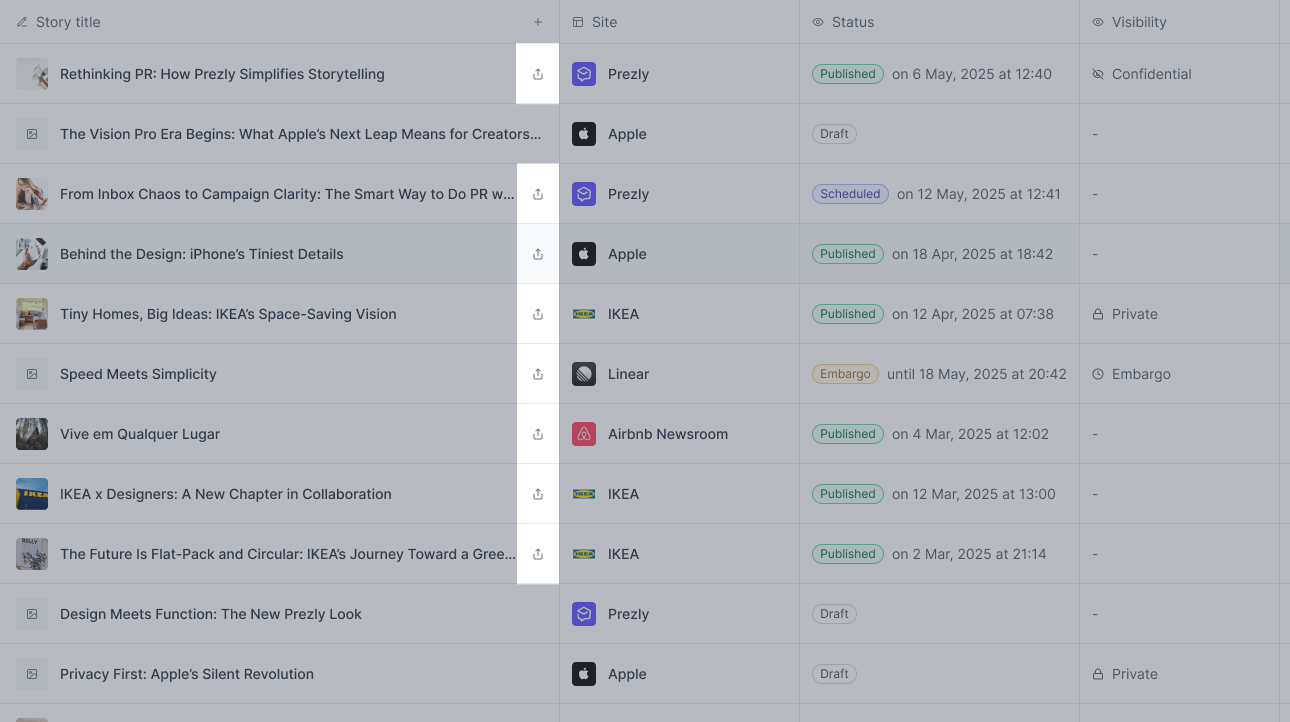
Story settings panel: now includes a Share button (panel opens by default once a story is published).
Stories grid: share icon added to each published story.
In summary
We reworked how users create their first story, publish it (to a lesser extent), and share it. And we made sharing easier for existing users too — a nice win-win.
We aimed for a 10% increase in stories published during trial, plus a smaller lift in overall publishing. Sharing would be harder to measure, but we still expected an improvement by making it more accessible.
Here’s what we did:
- Simplified content creation: templates + a simple import flow
- Streamlined publishing: cleaner editor, clearer actions, simpler dashboard
- Redesigned sharing modal: better preview + stronger sharing options
- Sharing everywhere: more entry points throughout the app
Planting the seeds, harvesting the shares
After the first month (and I’ll keep this updated), we saw great signs that the changes were working.
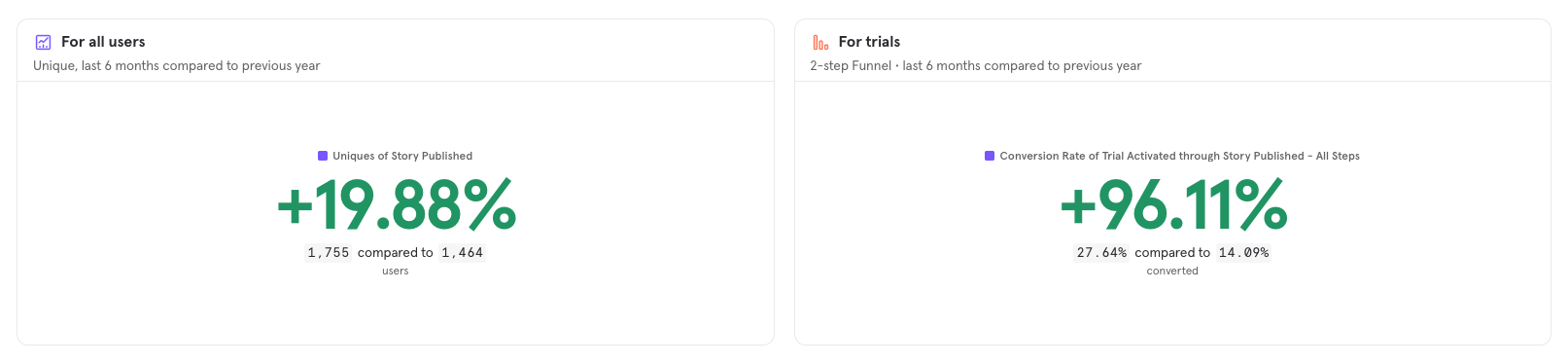
- ~96% increase in stories published during trial (vs previous year)
- ~20% increase in published stories across all accounts (not only trial)
Story sharing also seems to be increasing, though past tracking was limited
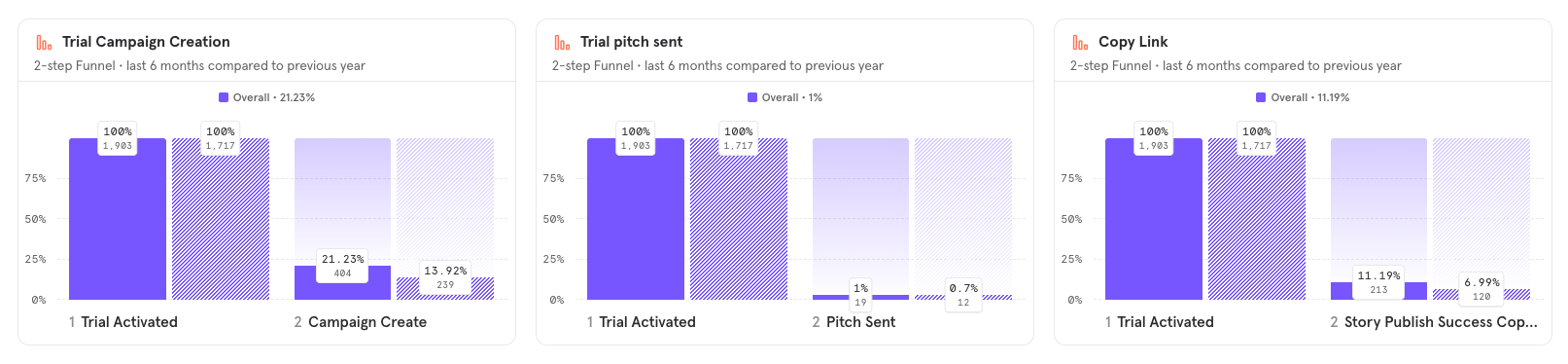
- ~7% increase in email campaigns created
- ~0.3% increase in pitches sent
- ~1% increase in Copy URL clicks
We also saw a shift in how people start their stories
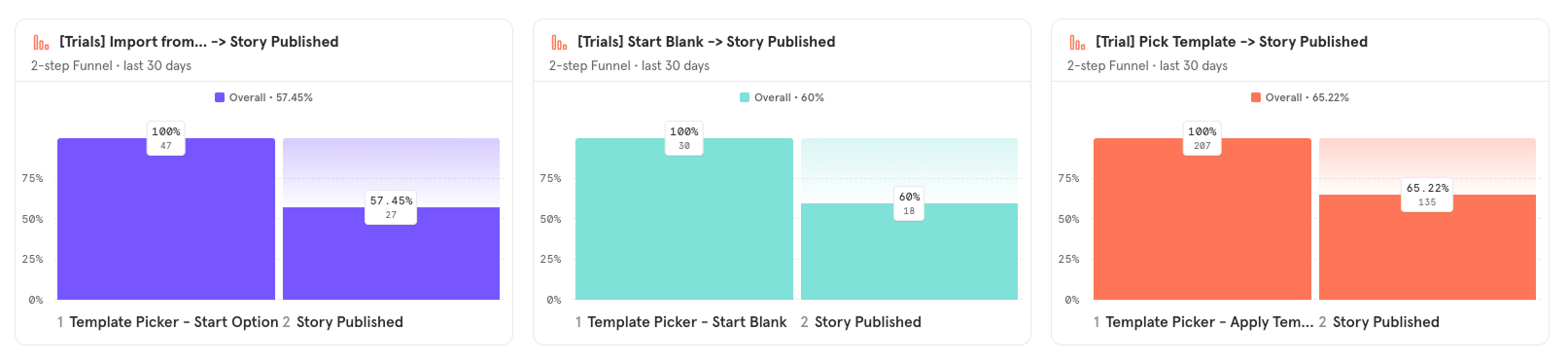
- Templates became trials favourite starting point ~73%
- Also the highest converting method from creation to publishing
- Followed by import from Word, Google Docs or Website ~17%
What’s next?
The initial data tells us two things: Templates was definitely a win, and we might need a proper importer for stories.
Numbers show us that despite it being the option for 17% of people, there are a lot more than that clicking in an import option and then going with the template picker.
We also noticed more people previewing their published story pages, but not necessarily sharing them. We believe this is linked to:
- Weak empty site/newsroom empty states.
- A weak site setup experience (logo, brand color, etc.)
So next steps include:
- Improving site empty states
- Making site setup and styling easier and more intuitive
- Building a proper story importer
This work pushed the product closer to what we’ve always wanted: a smoother, faster path for people to understand the value of Prezly.
If you’re curious about any part of this project or want to talk through the details, feel free to reach out. I’m always happy to dive deeper or chat about the process.